Every number is traceable
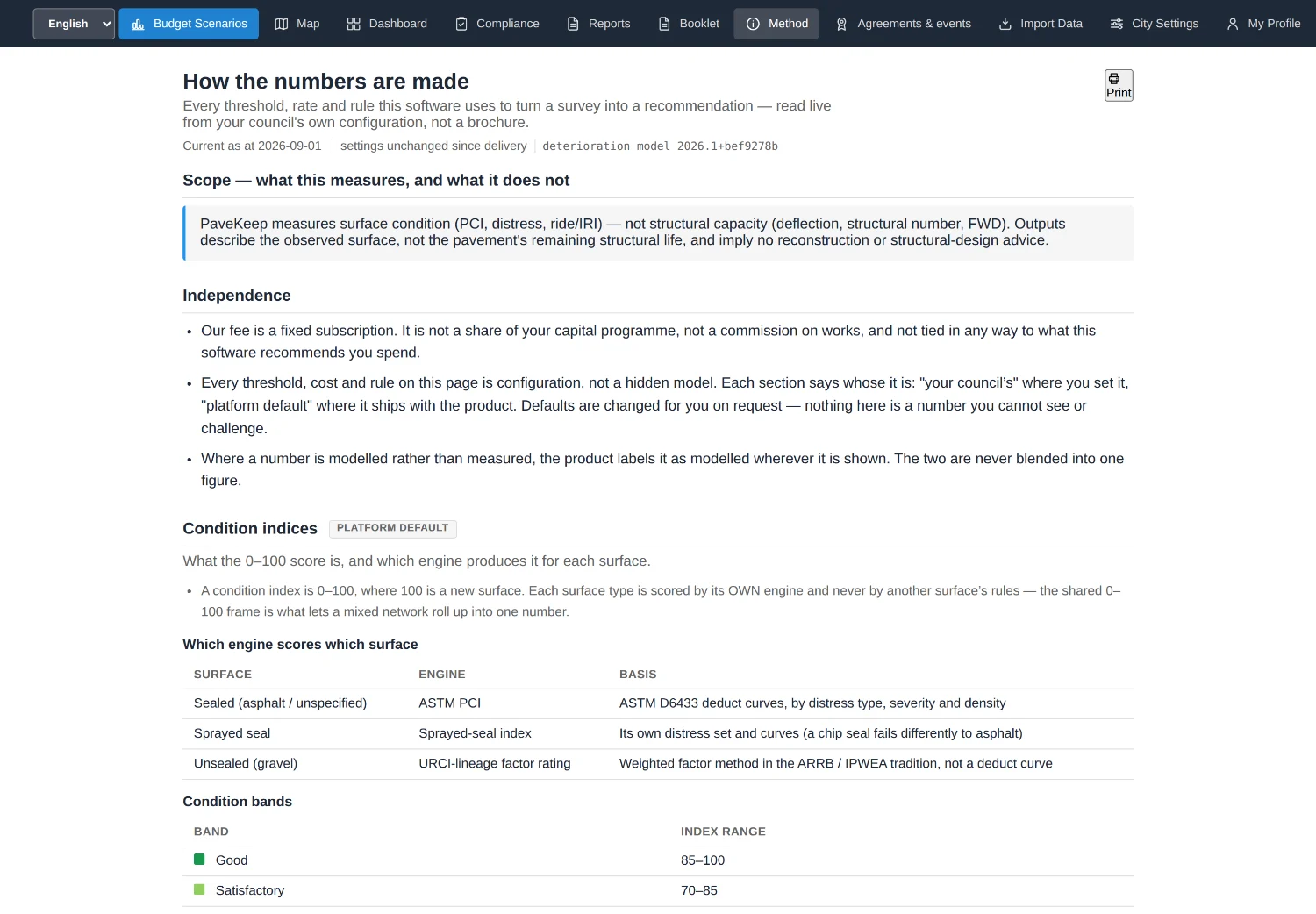
Any figure PaveKeep produces can be followed back to the survey it came from, the setting that shaped it and the arithmetic that produced it. The software explains itself rather than asking to be trusted.
Choosing which roads to fix is choosing which roads to let get worse. PaveKeep turns a council’s road list, survey results and budget into a ranked, costed works programme — and keeps the trail that shows why each road is where it is.
Built for small and regional councils: the ones with a real road network, a reporting obligation, and no asset-management department.
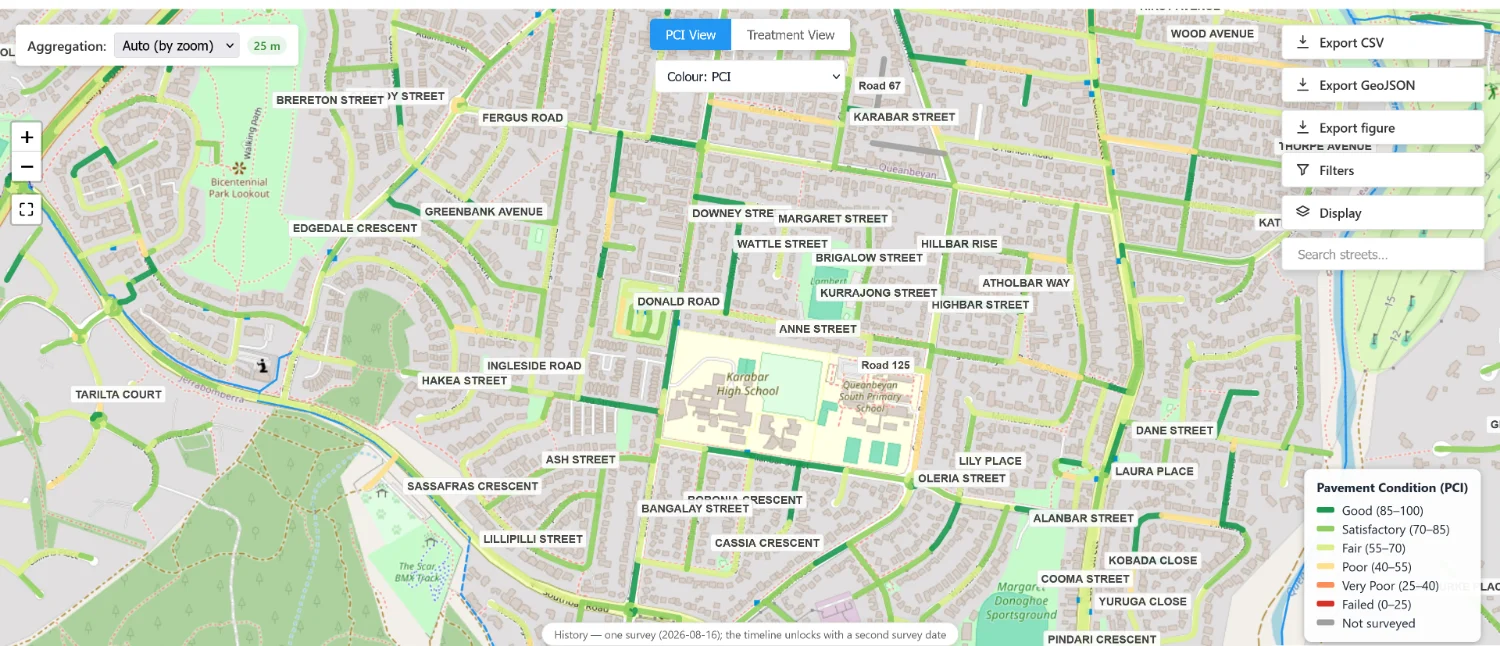
Any figure PaveKeep produces can be followed back to the survey it came from, the setting that shaped it and the arithmetic that produced it. The software explains itself rather than asking to be trusted.
A road nobody has surveyed is reported as unknown. It is never scored as zero, and never quietly dropped out of an average that is then presented as the network. This is the one councils test us on.
The whole network exports in a standard mapping format that opens in the council’s own GIS. Nothing is locked in, and nothing has to be replaced first.
That is the question an auditor asks, a funding body asks, and a councillor asks about their own street. A spreadsheet cannot answer it and most software answers it with a support ticket.
Every figure in PaveKeep carries a method statement: the inputs, the settings in force on the day, and the steps between them. It is the same document whether the number is on a screen, in a committee paper or in a grant application.
These are the 8 capabilities the registry calls finished, in its own order. 3 more are built and incomplete; they are on a page of their own with the limit on each.
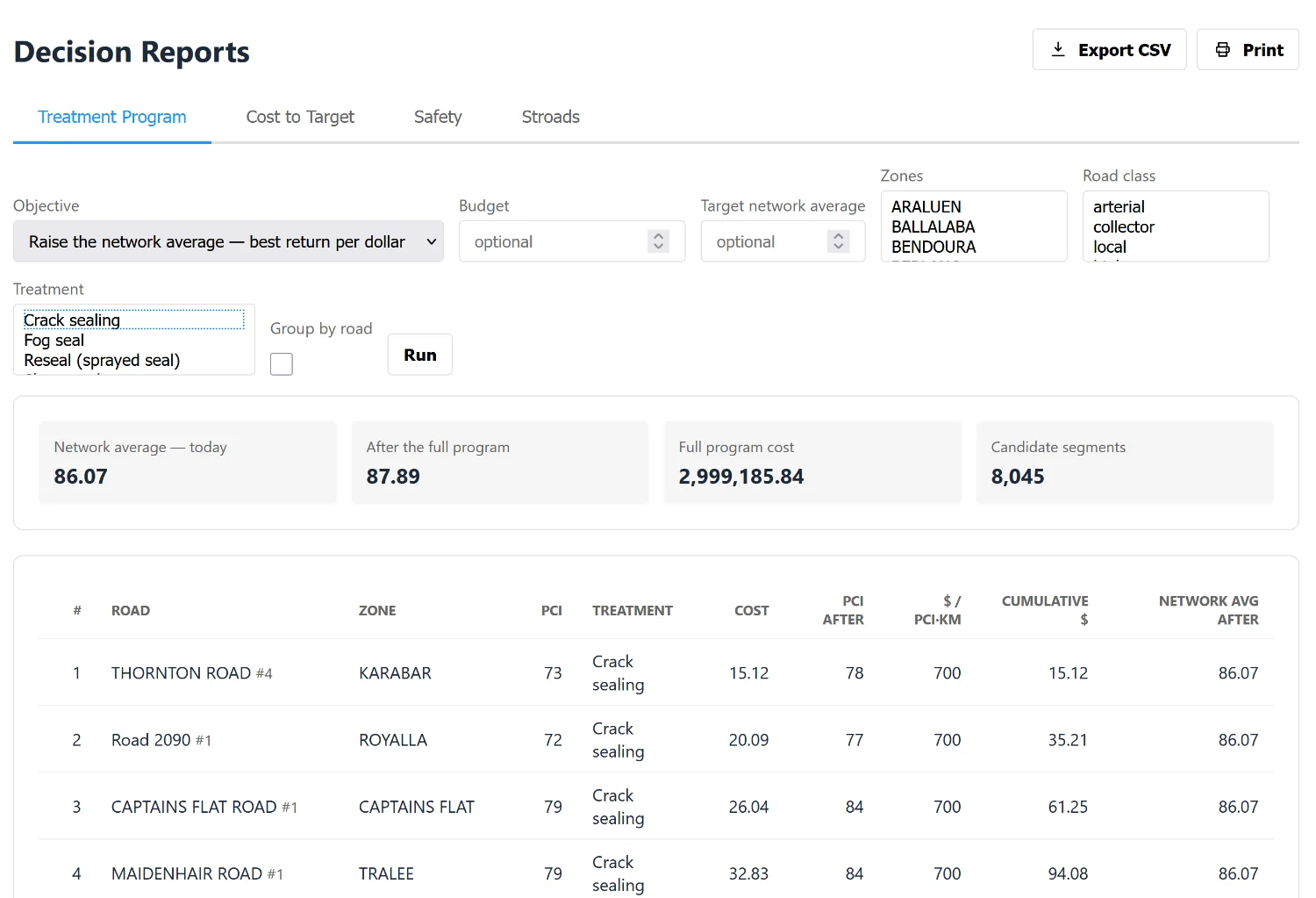
Put in a budget and a number of years, and see what it buys: which roads get done, what condition the network ends up in, and what a different budget would have bought instead.
A ranked list of what to fix, in what order, at what cost — with the reason each road is on the list, and how much it would take to reach a condition target.
The documents a council has to produce: what the network is worth, what work happened and who paid for it, and the state of the network as it stood on a chosen date.
The whole network in a standard mapping format, so it opens in the council's own GIS. Nothing is locked in.
A record of completed work with its cost, who funded it, and the agreement or disaster declaration it happened under — which is what an acquittal or an audit asks for.
How the network has actually changed between surveys, rather than a single snapshot.
Three finished documents from the same data — a committee paper, a short brief for a councillor or general manager, and a grant submission — each written for the person who reads it.
What the network will look like in five or ten years under different spending levels, so a council can show the cost of doing nothing.
Thirteen steps from an empty account to a ranked, costed works programme, each one with something you can point at afterwards. The page that lists them is generated from the same spine the in-product tutorial is built on, so it cannot describe a screen that no longer exists.
Plain-language articles for council engineers, asset managers and finance officers. Every figure carries its source and year, and figures from US research are labelled as US evidence.
Condition charts do not win the budget argument. A scenario pair, with the roads named, is what changes it.
Projecting a network ten years forward is arithmetic, not prophecy — and most councils hold two of the five inputs.
A spreadsheet of segment scores answers a question nobody in the room is asking. The question is which roads.
9 roads, 94 segments, real geometry and real surveys. A walkthrough of it is the fastest way to find out whether any of this is useful to your council — there is nothing to install and nothing to sign.
Email sales@pavekeep.com.au, or read the argument first.
Accounts are by invitation — self-service sign-up is switched off in the product’s own configuration, so a council gets one by asking.
Book a 20-minute walkthroughHosting, backups, insurance and the rest